
面向用户,拿着咖啡杯
沿用 New Flow 的双眼睑叠层与 4.2 秒时间轴,仅针对咖啡素材重新校准眼睛坐标。
idleMoment: .coffee首期统一实现工作中、创建 Flow、有未读消息和 Needs You 四个状态。默认首页使用轻量敲电脑动画,其他页面由同一个状态组件切换表现。
四个状态都属于同一个 KikiPresence 组件。业务页面只传入状态,不直接控制图层或关键帧。工作中是首页默认状态。
Needs You > 未读消息 > Doing 0 / New Flow > 工作中。Needs You 清空后才展示未读;两者都没有且 Doing 为 0 时,首页切换为拿笔记板的等待状态。彩蛋不是业务状态,不显示状态文字,也不改变任务。仅在首页普通工作状态下低频出现,让 Kiki 更有生命感。
沿用 New Flow 的双眼睑叠层与 4.2 秒时间轴,仅针对咖啡素材重新校准眼睛坐标。
idleMoment: .coffee
同样使用双眼睑叠层和 4.2 秒眨眼时间轴;另外只让点击屏幕的手指做约 0.7pt 轻微动作。
idleMoment: .phoneNeeds You > 未读消息 > 页面上下文(New Flow)/ Doing 0 > 工作中 > 随机彩蛋。彩蛋永远不能覆盖任何需要用户注意或表达真实工作状态的界面。动画只负责表达“正在工作”,任务名称由独立的状态文案承载。不要把角色整体上下移动,也不要用高频、明显的敲击幅度。
底图保持静止;手部透明层使用与底图相同的像素尺寸、画布原点和缩放方式。
0 → 0.9 → -0.3 → 0.6 → 0 pt
总时长 650ms,easeInOut,无限循环。
由客户端状态机切换 idle / typing / noting / unread。动画本身不依赖模型 token 流。
同一姿势的分层 PNG 必须同尺寸、同画布、同定位。客户端只需要以完全相同的 content mode 叠放。

工作中完整静态人物。建议透明背景,并提供 @2x / @3x 或 Android density 资源。
仅保留需要移动的手部像素,其余区域透明;画布尺寸与底图完全一致。
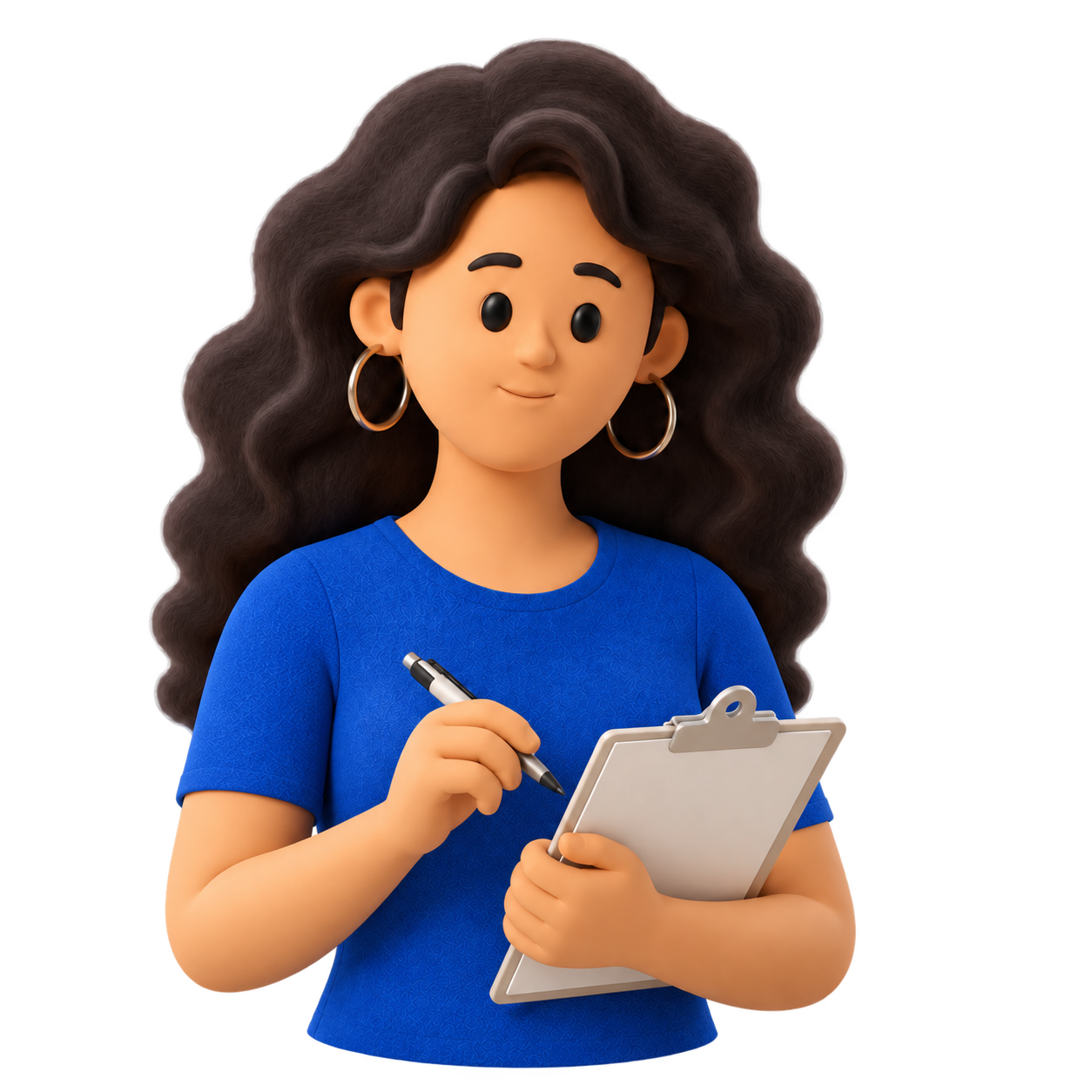
创建 Flow 房间姿势。人物和笔记板保持静止,眼睑作为单独透明图层。

Needs You 专用姿势:保持坐姿和电脑场景,一只手举起;人物保持完整,不拆分手部图层;客户端仅叠加眼睑,并对完整人物做极轻的点头。橙色提示由客户端 UI 绘制。

未读消息专用姿势:双手拿手机并看向用户;眨眼仍由独立眼睑图层完成。
首页咖啡彩蛋,透明背景;眨眼图层与 New Flow 采用相同频率。
首页手机彩蛋,透明背景;正式交付需再导出同画布的手指透明层。
Core Animation 对持续循环、暂停恢复及功耗控制更直接。SwiftUI 页面中可以用 UIViewRepresentable 包装统一组件。
final class KikiTypingView: UIView {
    private let base = UIImageView(image: UIImage(named: "kiki_typing_base"))
    private let hands = UIImageView(image: UIImage(named: "kiki_typing_hands"))

    override init(frame: CGRect) {
        super.init(frame: frame)
        [base, hands].forEach {
            $0.contentMode = .scaleAspectFit
            $0.translatesAutoresizingMaskIntoConstraints = false
            addSubview($0)
            NSLayoutConstraint.activate([
                $0.leadingAnchor.constraint(equalTo: leadingAnchor),
                $0.trailingAnchor.constraint(equalTo: trailingAnchor),
                $0.topAnchor.constraint(equalTo: topAnchor),
                $0.bottomAnchor.constraint(equalTo: bottomAnchor)
            ])
        }
    }

    required init?(coder: NSCoder) { fatalError("init(coder:) not implemented") }

    func setTyping(_ typing: Bool) {
        hands.layer.removeAnimation(forKey: "kiki.typing")
        guard typing, !UIAccessibility.isReduceMotionEnabled else { return }

        let animation = CAKeyframeAnimation(keyPath: "transform.translation.y")
        animation.values = [0, 0.9, -0.3, 0.6, 0]
        animation.keyTimes = [0, 0.25, 0.5, 0.75, 1]
        animation.duration = 0.65
        animation.timingFunction = CAMediaTimingFunction(name: .easeInEaseOut)
        animation.repeatCount = .infinity
        animation.isRemovedOnCompletion = false
        hands.layer.add(animation, forKey: "kiki.typing")
    }
}struct KikiTypingView: View {
@Environment(\.accessibilityReduceMotion) private var reduceMotion
var body: some View {
ZStack {
Image("kiki_typing_base").resizable().scaledToFit()
Image("kiki_typing_hands")
.resizable().scaledToFit()
.keyframeAnimator(initialValue: 0.0, repeating: !reduceMotion) { image, y in
image.offset(y: y)
} keyframes: { _ in
KeyframeTrack {
LinearKeyframe(0.9, duration: 0.1625)
LinearKeyframe(-0.3, duration: 0.1625)
LinearKeyframe(0.6, duration: 0.1625)
LinearKeyframe(0, duration: 0.1625)
}
}
}
}
}Android 同样使用两张同尺寸图片叠放,只对手部层做 Y 轴关键帧。推荐 rememberInfiniteTransition;传统 View 项目可使用 ObjectAnimator。
@Composable
fun KikiTyping(
    isTyping: Boolean,
    modifier: Modifier = Modifier
) {
    val transition = rememberInfiniteTransition(label = "kikiTyping")
    val offsetY by transition.animateFloat(
        initialValue = 0f,
        targetValue = 0f,
        animationSpec = infiniteRepeatable(
            animation = keyframes {
                durationMillis = 650
                0f at 0 using FastOutSlowInEasing
                0.9f at 162
                -0.3f at 325
                0.6f at 487
                0f at 650
            }
        ), label = "handsOffset"
    )

    Box(modifier) {
        Image(painterResource(R.drawable.kiki_typing_base), null,
            modifier = Modifier.matchParentSize(), contentScale = ContentScale.Fit)
        Image(painterResource(R.drawable.kiki_typing_hands), null,
            modifier = Modifier.matchParentSize().graphicsLayer {
                // Compose follows the system animator duration scale.
                translationY = if (isTyping) offsetY * density else 0f
            }, contentScale = ContentScale.Fit)
    }
}val animator = ObjectAnimator.ofFloat(
handsImageView,
View.TRANSLATION_Y,
0f, dp(0.9f), dp(-0.3f), dp(0.6f), 0f
).apply {
duration = 650L
interpolator = AccelerateDecelerateInterpolator()
repeatCount = ValueAnimator.INFINITE
repeatMode = ValueAnimator.RESTART
}
// onStart / onResume
if (ValueAnimator.areAnimatorsEnabled()) animator.start()
// onStop / onPause
animator.cancel()
handsImageView.translationY = 0f两个平台行为保持一致。业务层负责解析状态,动画组件只负责渲染结果与处理页面可见性。
func resolveHomePresence(
  needsYouCount: Int,
  unreadCount: Int,
  doingCount: Int
) -> KikiPresenceState {
  if needsYouCount > 0 {
    return .needsYou(needsYouCount)
  }
  if unreadCount > 0 {
    return .unread(unreadCount)
  }
  if doingCount == 0 {
    return .noting
  }
  return .typing
}

KikiPresence(
  state: resolveHomePresence(...),
  isPaused: scenePhase != .active
).noting 及其素材、眨眼参数和 Reduce Motion 规则。Doing 从 0 变成 1 时切回 .typing。设计负责动作观感与素材准确性,客户端开发负责组件封装、生命周期、性能和无障碍。